

Client Reporting Automation: From Chaos to Clarity
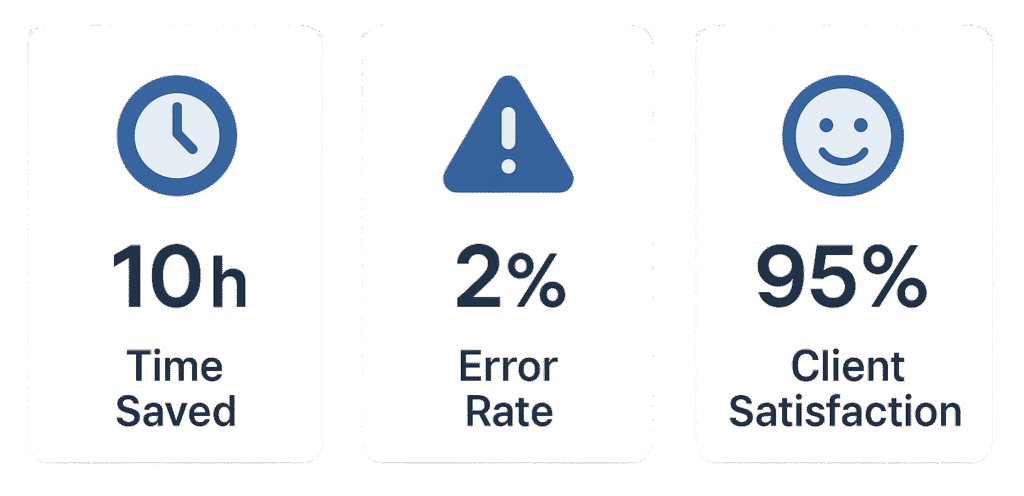
Client reporting is the heartbeat of every agency-client relationship. But for most agencies, reporting is a recurring nightmare—manual data pulls, endless formatting, and late-night scrambles to meet deadlines. The result? Frustrated teams, inconsistent reports, and clients left in the dark. What if you could turn this chaos into clarity—delivering timely, accurate, and visually compelling reports with a click? In this guide, you’ll learn how to automate client reporting, reclaim your time, and wow your clients every week.
Manual reporting is a silent profit drain. According to industry benchmarks, agencies lose thousands of dollars a year in wasted time, missed insights, and client churn—all because reporting is stuck in the past. But it doesn’t have to be this way. With the right automation, you can turn reporting chaos into clarity, reclaim your team’s time, and deliver a client experience that sets you apart.
The True Cost of Manual Reporting
Let’s get real: manual reporting is holding your agency back. Every week, your account managers spend hours gathering data from project management tools, analytics dashboards, and CRM systems. They copy-paste numbers into spreadsheets, format slides, and chase down missing information. The process is tedious, error-prone, and stressful.
- Time: The average agency spends 6+ hours per week per account manager on reporting. That’s 300+ hours a year—per person.
- Money: If your billable rate is $100/hour, that’s $30,000 a year per account manager lost to reporting.
- Morale: Teams dread reporting day. Burnout rises, and your best people look for jobs where they can focus on strategy, not spreadsheets.
- Client Trust: Late or inconsistent reports erode client confidence. Errors can lead to lost contracts and negative word of mouth.
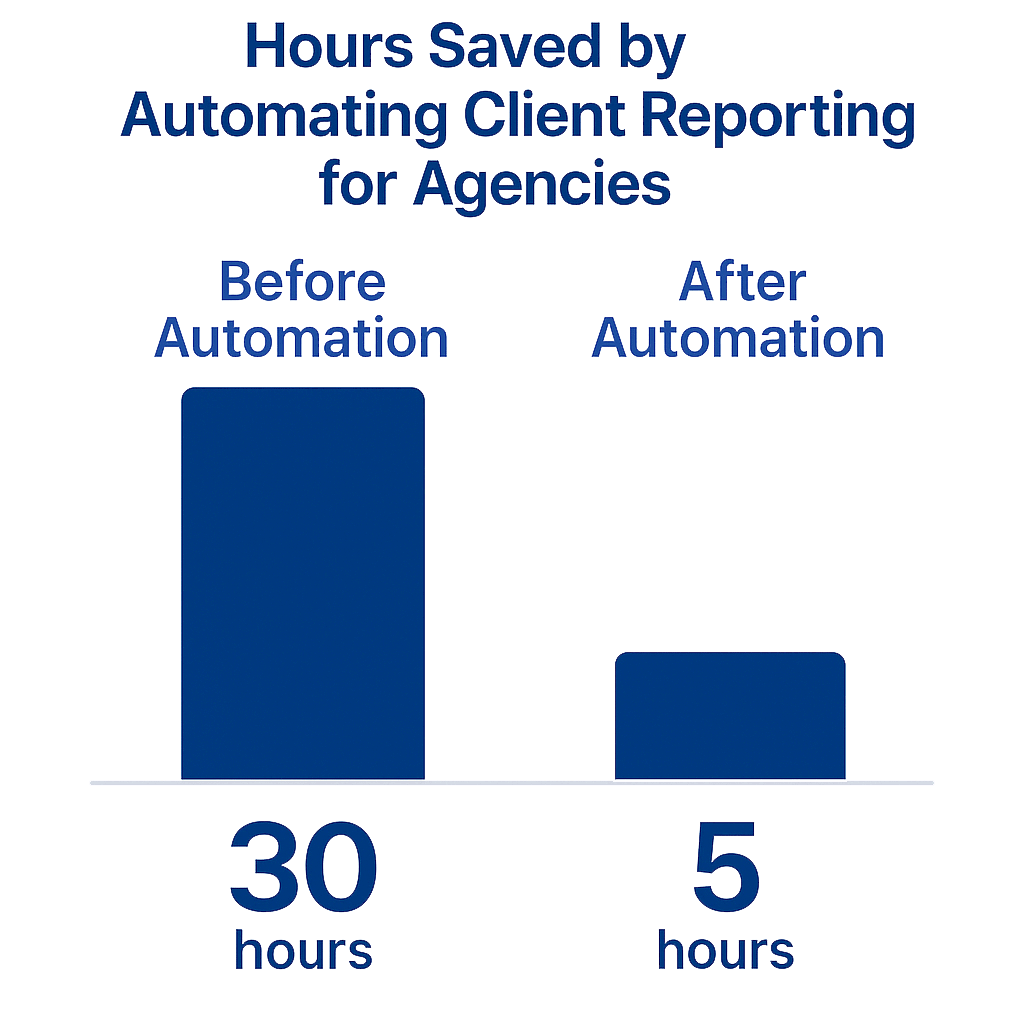
Example: A mid-sized marketing agency with five account managers spent over 1,500 hours a year on manual reporting. After automating their process, they reclaimed 1,200 hours, improved client satisfaction, and reduced churn by 20%.
What Is Client Reporting Automation?
Client reporting automation is the use of technology to collect, analyze, and deliver client reports—without manual intervention. Instead of chasing data and formatting slides, your systems pull the latest numbers, visualize them in dashboards, and send scheduled reports to clients automatically.
- Consistency: Reports are always on-brand, on-time, and error-free.
- Speed: What took hours now takes minutes—or happens instantly.
- Insight: Teams focus on analysis and recommendations, not busywork.
- Scalability: As you grow, reporting doesn’t become a bottleneck.
How It Works:
- Integrate: Connect your project management, analytics, and CRM tools.
- Automate: Set up workflows to pull data, generate visuals, and format reports.
- Deliver: Schedule reports to be sent automatically to clients or shared via live dashboards.
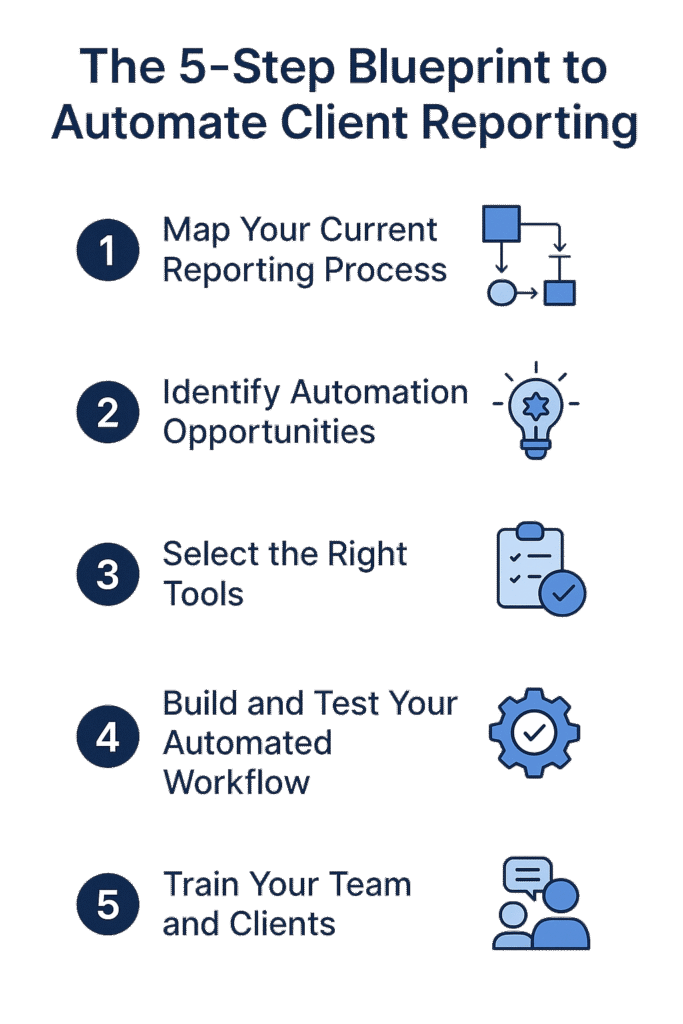
The 5-Step Blueprint to Automate Client Reporting
Step 1: Map Your Current Reporting Process
Start by listing every step in your current workflow. Where do you pull data from? Who formats the report? Where do delays happen? Identify bottlenecks and manual tasks.
Step 2: Identify Automation Opportunities
Look for steps that can be automated: data pulls, formatting, and report delivery. Mark each manual step with a red flag and prioritize the most time-consuming or error-prone steps.
Step 3: Select the Right Tools
Choose tools that integrate with your data sources and reporting needs. List your current tools, identify gaps, and don’t overcomplicate—start with what you have.
Step 4: Build and Test Your Automated Workflow
Set up integrations, create dashboard templates, and schedule automated report delivery. Test with internal stakeholders before rolling out to clients.
Step 5: Train Your Team and Clients
Document the new process, provide training, and gather feedback for continuous improvement.
- Data sources mapped
- Automation opportunities identified
- Tools selected and integrated
- Workflow built and tested
- Team and clients trained
Top Tools for Automated Reporting
- ClickUp: Project management, dashboards, and reporting in one place. Automate status updates and share live dashboards with clients. Try ClickUp
- Looker Studio (Google Data Studio): Connects to Google Analytics, Sheets, and more. Build custom dashboards and automate delivery.
- Power BI / Tableau: Advanced analytics and visualization for larger agencies.
- Zapier / Make / n8n: Automate data pulls, report generation, and email delivery.
- GHL (Go High Level): CRM and reporting automation for marketing agencies. Learn More
Real Agency Results: Before & After Automation
Before Automation:
- 6+ hours/week spent on manual reporting
- Reports delivered late, with errors
- Team dreads reporting day
After Automation:
- Reports generated and sent automatically
- 95% reduction in manual effort
- Clients receive timely, visually branded reports
- Team focuses on insights and strategy
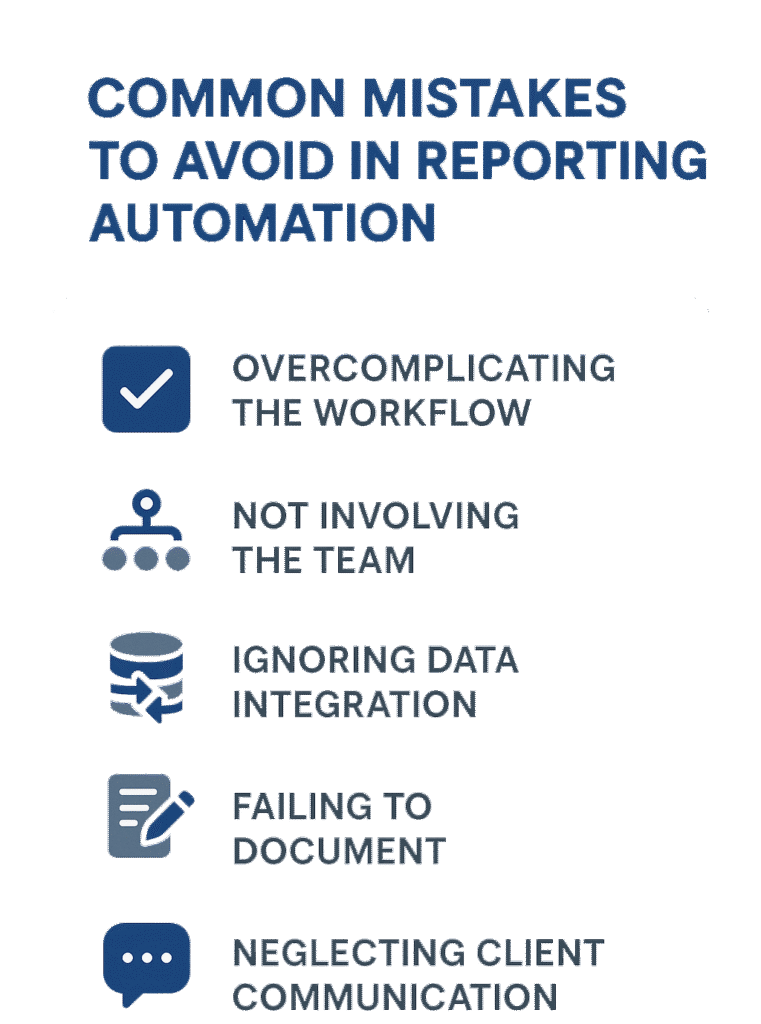
Common Mistakes to Avoid
- Overcomplicating the workflow: Start simple. Automate one report before scaling up.
- Not involving the team: Get buy-in early. Train everyone on the new process.
- Ignoring data integration: Make sure your tools talk to each other.
- Failing to document: SOPs ensure consistency and scalability.
- Neglecting client communication: Let clients know what’s changing and why it benefits them.
Frequently Asked Questions
What’s the best tool for client reporting automation?
ClickUp is our top pick for agencies, but the best tool depends on your data sources and client needs.
How long does it take to automate reporting?
Most agencies see results in 2–4 weeks. Start with one report, then expand.
Will my clients notice the change?
Yes—in a good way! Automated reports are more consistent, timely, and visually appealing.
Can I customize reports for each client?
Absolutely. Use templates and dynamic data to personalize every report.
What’s the ROI?
Agencies typically reclaim 6+ hours/week per account manager and improve client retention.
Can I integrate my existing tools?
Yes. Modern automation platforms connect with thousands of apps. We specialize in seamless integrations.
What if my team resists automation?
Involve them early, show the benefits, and provide training. Most teams embrace automation once they see the time savings.
Conclusion & Next Steps
Manual reporting is holding your agency back. By automating client reporting, you’ll save hours every week, reduce errors, and deliver clarity to your clients. The steps are clear: map your process, choose the right tools, build your workflow, and train your team.
- Automated reporting saves time and reduces errors
- Clients receive better, more consistent reports
- Your team can focus on strategy, not spreadsheets
Ready to eliminate chaos and deliver clarity?
