
Capacity Planning for Agencies: See Bottlenecks Before They Hit
You didn’t start your agency to spend your days putting out fires. Yet, if you’re like most agency owners, you know the feeling: one week, your team is humming along, and the next, you’re buried in missed deadlines, client complaints, and late-night Slack messages. The culprit? Bottlenecks—those invisible choke points that quietly drain profit, burn out your team, and stall your growth.
Here’s the hard truth: most agencies don’t see bottlenecks coming until it’s too late. By the time you notice, the damage is already done—projects are late, clients are frustrated, and your team is running on fumes. But what if you could spot bottlenecks before they hit? What if you could predict exactly when your team’s capacity will max out, which projects are at risk, and where to automate busywork—before chaos erupts?
This isn’t a pipe dream. It’s the reality for agencies that master capacity planning, automation, and real-time dashboards. In this guide, you’ll learn how to transform your agency from reactive to proactive—so you can scale without burning out your team or yourself. We’ll break down the frameworks, tools, and real-world examples that BLUECREATIVE uses to help agencies reclaim 15+ hours a week and scale without adding headcount. Ready to get ahead of the next bottleneck? Let’s dive in.
Table of Contents
- Why Bottlenecks Kill Agency Growth (and How to Spot Them Early)
- The Capacity Planning Framework: From Guesswork to Predictable Growth
- Tools & Dashboards: Real-Time Visibility for Agency Leaders
- Automating Away the Bottlenecks: Workflows That Scale
- Case Study: How One Agency Unlocked 40% More Capacity in 30 Days
- FAQs: Capacity Planning for Agencies
- Conclusion & Next Steps
Why Bottlenecks Kill Agency Growth (and How to Spot Them Early)
Picture your agency as a relay race. Each team member is a runner, passing the baton (the project) from one to the next. When the handoff is smooth, you win. But what happens when someone drops the baton? That’s a bottleneck—and it’s where profit leaks out.
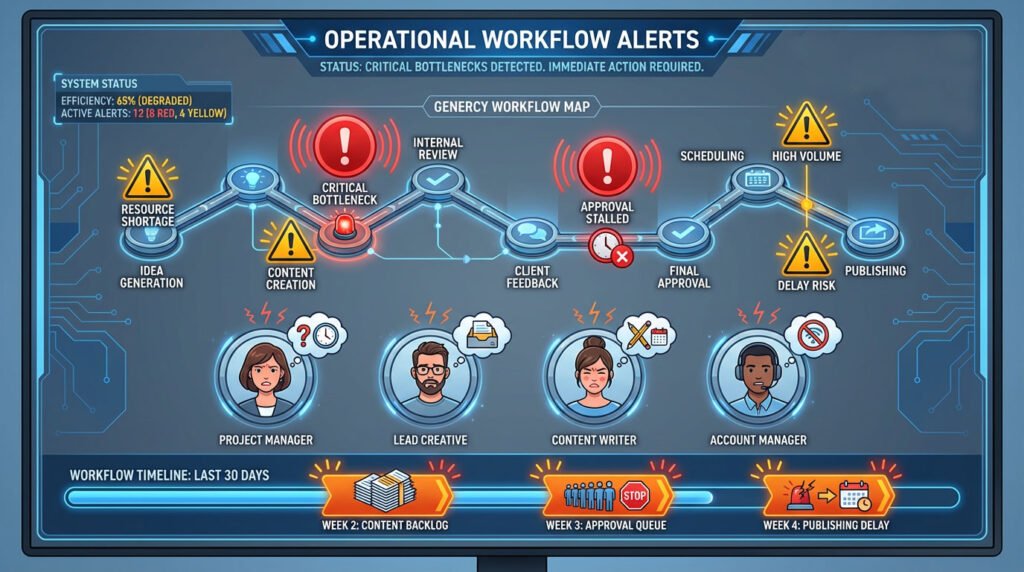
In agencies, bottlenecks show up as missed deadlines, overworked team members, and projects that stall for no clear reason. Maybe your designer is waiting on copy, or your project manager is buried in manual status updates. Each delay compounds, and soon, you’re in fire drill mode.
Early Warning Signs of Bottlenecks
- Projects consistently run late, even with the same team size.
- Team members complain about being “at capacity” or “overwhelmed.”
- Clients ask for updates you can’t provide instantly.
- You’re the bottleneck—nothing moves without your approval.
Most agencies run on a patchwork of tools—ClickUp, Slack, spreadsheets, email, and more. While each tool solves a problem, together they create blind spots. Data lives everywhere and nowhere. You can’t see who’s overloaded, which projects are at risk, or where tasks are stuck. The result? You’re always reacting, never anticipating.
Manual processes are the silent killers of agency growth. Every time your team spends hours on client onboarding, status updates, or reporting, you’re losing money. Worse, manual work is error-prone and impossible to scale. As your agency grows, so does the chaos—unless you automate.
The Capacity Planning Framework: From Guesswork to Predictable Growth
Capacity planning is the art and science of forecasting your team’s workload and ensuring you have the right resources to deliver projects on time—before bottlenecks appear. It’s about moving from “I think we can handle this” to “I know exactly how much we can take on, and when.”
Step 1: Map Your Team’s Roles and Workloads
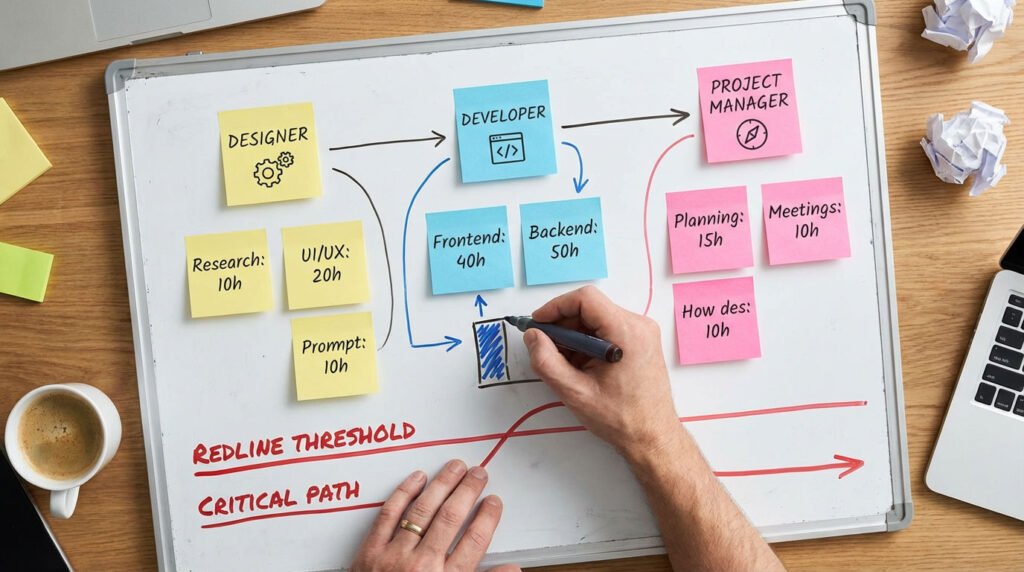
Start by listing every role in your agency—designers, developers, project managers, account leads, etc. For each, estimate how many hours per week they can realistically dedicate to client work (not meetings, admin, or internal projects).
Step 2: Estimate Project Hours and Assign Ownership
For each project, break down the required hours by role. Assign owners for each deliverable. Use historical data if you have it; if not, start tracking now.
Step 3: Set Thresholds—Know Your Redline
Every role has a “redline”—the point at which quality drops and burnout begins. Set a threshold (e.g., 85% of max capacity) and treat it as a hard stop. If your designer is at 26/30 hours, you’re at 87%—time to flag a risk.
Step 4: Monitor in Real Time
Use dashboards (ClickUp, Monday, Notion, or custom) to visualize capacity. Update weekly (or daily for fast-moving teams). Look for roles consistently above 80%—that’s where bottlenecks will hit first.
Step 5: Build in Slack—Not Everyone Can Be at 100%
Leave room for the unexpected. If every team member is at 100%, you have no buffer for urgent requests, sick days, or scope creep. Aim for 70–85% utilization as your “safe zone.”
- Map roles and max hours
- Estimate project hours by role
- Set redline thresholds
- Monitor in real time
- Build in slack
Tools & Dashboards: Real-Time Visibility for Agency Leaders
You can’t fix what you can’t see. Real-time dashboards give you instant visibility into project health, team workload, and profitability. Instead of guessing who’s overloaded or which project is at risk, you see it—live.
Choosing the Right Tools
- ClickUp: Highly customizable, integrates with automation tools, ideal for agencies managing multiple projects.
- Monday: Visual, easy to use, great for tracking capacity and timelines.
- Asana: Simple task management, good for smaller teams.
- Notion: Flexible, but requires more setup for dashboards.
Pro Tip: Don’t chase features—pick the tool your team will actually use. Consistency beats complexity.
Key Metrics to Track
- Utilization Rate: % of each team member’s capacity in use.
- Project Status: On track, at risk, or overdue.
- Profit Margins: Are you making money on each project?
- Bottleneck Alerts: Who’s consistently overloaded?
Automated Alerts: Stay Ahead of Trouble
Set up automated alerts for when any role hits 80% capacity, a project slips behind, or a deliverable is overdue. Don’t wait for someone to complain—let your dashboard tell you.


Automating Away the Bottlenecks: Workflows That Scale
Manual work is the silent killer of agency profit. Every hour spent on repetitive tasks—client onboarding, status updates, reporting—is an hour you can’t spend on high-value work. The solution? Automate everything you can.
What Should You Automate?
- Client Onboarding: Intake forms, welcome emails, project setup.
- Status Updates: Automated progress reports to clients.
- Reporting: Pull data from project tools, generate reports, send automatically.
- Project Kickoff: Templates for tasks, timelines, and deliverables.
How to Automate: Tools & Tactics
- Zapier: Connects 5,000+ apps. Example: When a new client signs, auto-create a project in ClickUp, send a welcome email, and add to Slack.
- Make (Integromat): More advanced automations, great for multi-step workflows.
- n8n: Open-source, self-hosted automation for agencies needing custom solutions.
Example Workflow:
- Client fills out onboarding form (Typeform)
- Zapier creates project in ClickUp, assigns tasks
- Welcome email sent via Gmail
- Slack notification to team
Real Results: Automation in Action
- Client Onboarding: Reduced from 15 hours to 2 hours per month
- Status Reporting: Automated updates save 6+ hours/week
- Project Kickoff: No more missed steps, faster delivery
Case Study: How One Agency Unlocked 40% More Capacity in 30 Days
Before: A 20-person digital marketing firm was stuck. Projects ran late, the team was overwhelmed, and clients complained about slow updates. The owner was the bottleneck—nothing moved without their approval.
The Solution: Capacity Planning + Automation
- Mapped team roles and set redline thresholds
- Built a real-time dashboard in ClickUp
- Automated client onboarding and status updates with Zapier
- Set up weekly capacity reviews
After: Predictable, Profitable Growth
- 40% more capacity: Team could take on 3 more projects/month
- 18 hours/week saved: Manual work replaced by automation
- 95% on-time delivery: Projects shipped faster, with fewer errors
- Owner freed from bottleneck: Team empowered to make decisions
Key Lessons
- Start with one bottleneck—don’t try to automate everything at once.
- Use dashboards to make invisible problems visible.
- Measure results and scale what works.
Empowered team collaborating on automated projects

FAQs: Capacity Planning for Agencies
What is capacity planning for agencies?
Capacity planning is the process of forecasting your team’s workload and ensuring you have the right resources to deliver projects on time—before bottlenecks appear.
How do I know if my agency has a bottleneck?
Look for missed deadlines, overworked staff, and projects piling up. If you’re always in “fire drill” mode, you have a bottleneck.
What tools do I need?
Start with project management platforms like ClickUp or Monday, then add automation tools (Zapier, Make, n8n) and real-time dashboards.
How long does it take to see results?
Most agencies see measurable improvements within 30 days of implementing capacity planning and automation.
Can I automate everything?
Not everything—but you can automate 80% of repetitive tasks, freeing your team for high-value work.
What’s the first step?
Map your current workflows, identify the biggest bottleneck, and start automating there.
Conclusion & Next Steps
Bottlenecks are predictable—and preventable. Agencies that master capacity planning and automation reclaim 15–20 hours a week, scale without burnout, and deliver better results for clients. The key is to move from reactive to proactive: use dashboards to see problems before they happen, automate repetitive work, and empower your team to make decisions.
Don’t wait for the next fire drill. Start by mapping your team’s capacity, setting redline thresholds, and building a simple dashboard. Automate one bottleneck, measure the results, and scale what works. The agencies that win aren’t the ones who work the hardest—they’re the ones who see bottlenecks before they hit and fix them fast.
