How to Automate Client Onboarding for Agencies (Save 15+ Hours/Week)
Business automation is the key to reclaiming your time and scaling your agency. In this guide, you’ll discover how to automate client onboarding for agencies, save 15+ hours per week, and deliver a seamless client experience.
However, many agencies struggle with manual processes. As a result, projects start late and clients become frustrated. Fortunately, you can change this by following proven frameworks and actionable steps.

Why Client Onboarding Is the Bottleneck
Manual onboarding drains your agency’s resources. Every week, teams chase forms, send repetitive emails, and fix preventable mistakes. The result? Projects start late, clients get frustrated, and you’re stuck in busywork.
In contrast, business automation eliminates these bottlenecks. Therefore, you can focus on growth and client satisfaction.
The True Cost of Manual Onboarding
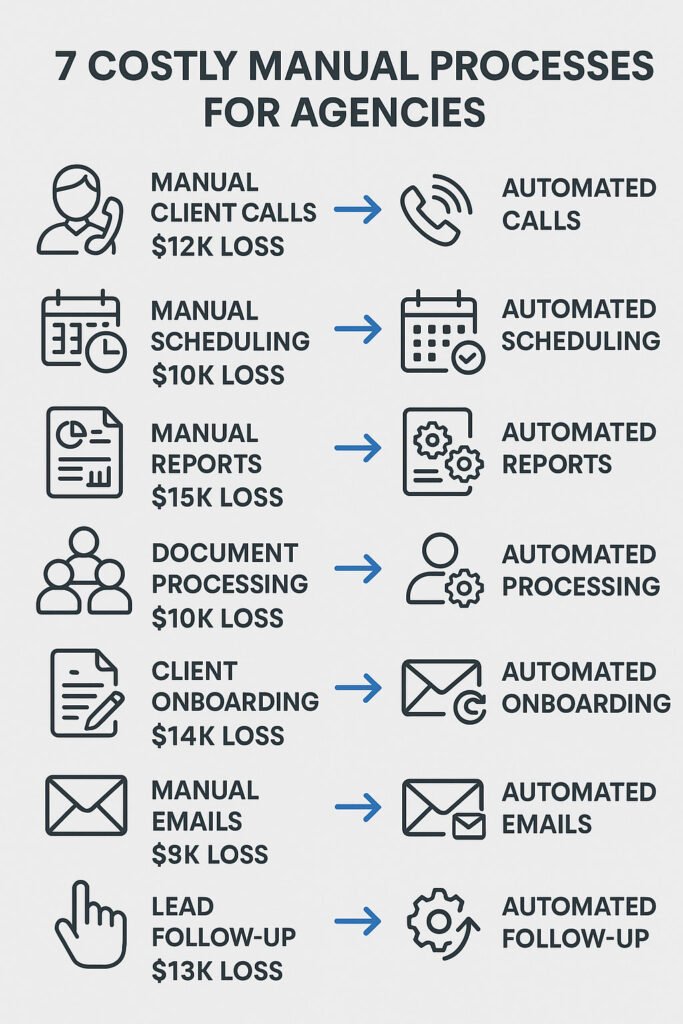
Manual onboarding isn’t just tedious—it’s expensive. Agencies lose thousands each year to inefficiency, errors, and missed opportunities. According to industry data, the average agency spends 20+ hours per week on onboarding tasks that could be automated.
Let’s break it down:
- Time drain: 3 hours per client onboarding × 5 clients/month = 15 hours lost monthly.
- Revenue impact: Delays mean slower cash flow and frustrated clients.
- Team morale: Repetitive work leads to burnout and disengagement.
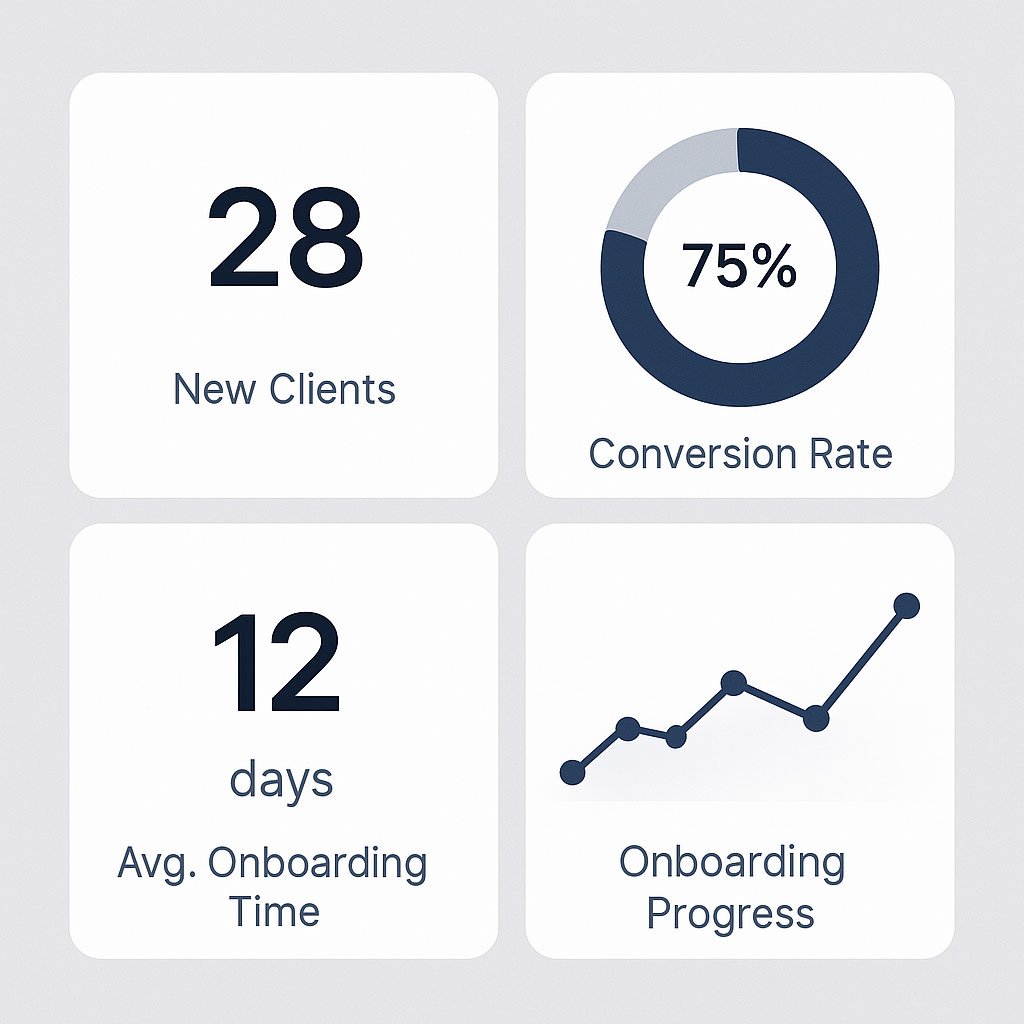
For example, one agency cut onboarding time from 18 hours to just 2 by automating forms, approvals, and notifications. As a result, projects started on time, clients were happier, and the team focused on high-value work.
What Automated Client Onboarding Actually Means
Business automation isn’t just about saving time—it’s about creating a seamless, professional experience for your clients. Automated onboarding uses digital forms, triggers, and integrations to collect information, assign tasks, and keep everyone in the loop.
Furthermore, the right system eliminates manual handoffs, reduces errors, and ensures nothing falls through the cracks.
Key components:
- Digital intake forms (no more chasing PDFs)
- Automated task assignment (everyone knows what to do, instantly)
- Triggered notifications (clients and team stay informed)
- Integrated tools (ClickUp Services, CRM, project management, email, and more)
- Centralized documentation (no more “where’s that file?”)
How to Automate Your Client Onboarding
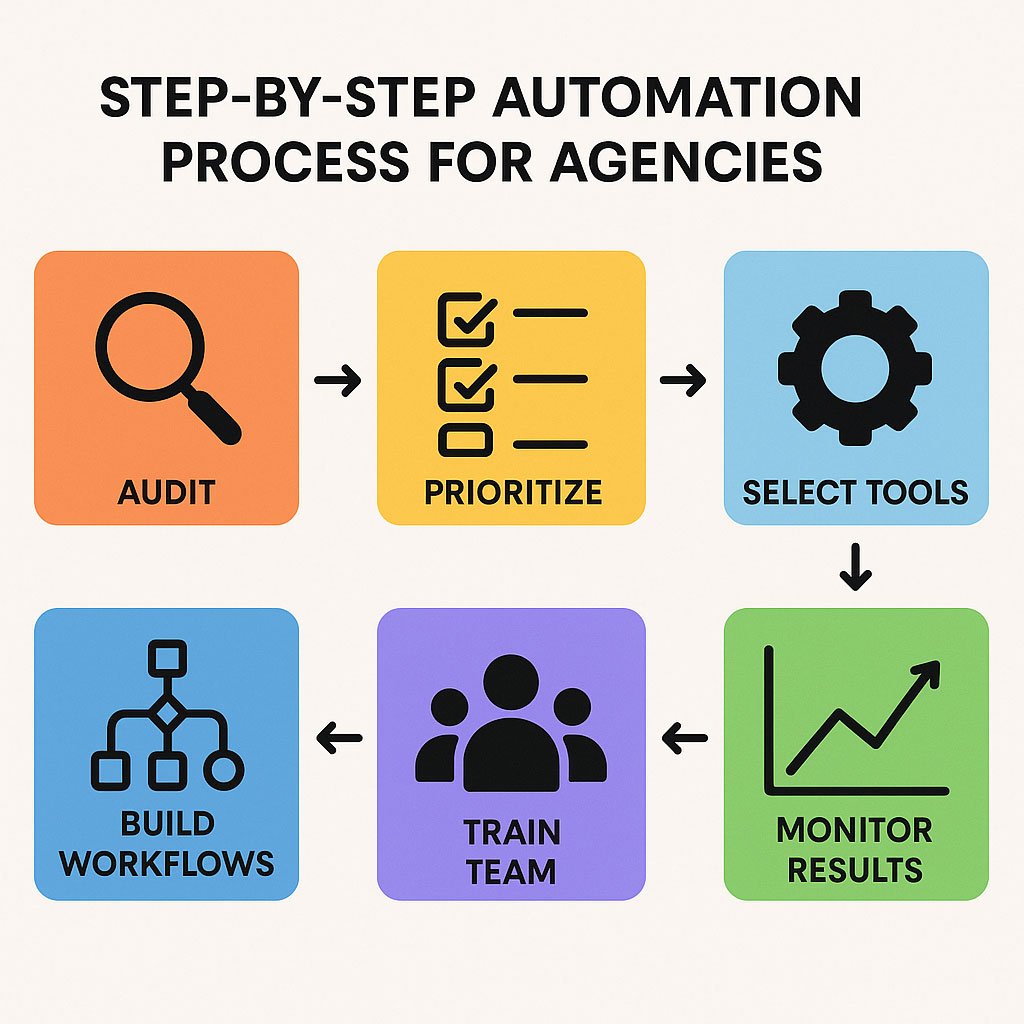
Ready to implement business automation? Here’s a step-by-step guide.
Step 1 – Map Your Current Process
First, list every step in your current onboarding, from first contact to project kickoff. Who does what? Where do delays happen? Which tasks are repetitive? Use a whiteboard, spreadsheet, or ClickUp Mind Map to visualize the flow.
Step 2 – Identify Bottlenecks and Manual Tasks
Next, highlight steps that require manual data entry, repeated follow-ups, or approvals. These are prime candidates for automation. For instance, waiting for client info or chasing signatures often slows things down.
Step 3 – Choose the Right Tools
Then, select tools that fit your workflow. For most agencies:
- ClickUp Services: Task management, automations, client communication
- Zapier/Make/n8n: Connects your forms, emails, and project boards
- Google Forms/Typeform: Client intake and data collection
- DocuSign/PandaDoc: Digital signatures
Step 4 – Build Your Automated Workflow
Now, design your new onboarding process using automation. For example:
- Client signs contract (triggers onboarding sequence)
- Automated welcome email sent with link to intake form
- Client submits form (triggers project creation in ClickUp)
- Tasks auto-assigned to team members
- Client receives confirmation and next steps
- Kickoff call scheduled via Calendly (auto-invite sent)
- All client assets stored in a shared folder (auto-created)
Step 5 – Test, Train, and Launch
Finally, test your workflow with a real client. Fix any issues, then train your team on the new process. Document each step so onboarding runs smoothly, even when you’re not involved.
Common Mistakes to Avoid
- Overcomplicating automation: Start simple. Automate the most painful step first, then layer on complexity.
- Skipping documentation: Write down every step so anyone can follow the process. Use ClickUp Docs for SOPs.
- Not training the team: Ensure everyone knows how the new system works. Hold a kickoff training session.
- Ignoring feedback: Improve your workflow based on real-world use. Ask clients and team members what works and what doesn’t.
- Failing to update automations: Review your process quarterly to ensure it still fits your agency’s needs.
Meanwhile, keep your team involved at every stage.
Tools & Templates for Agency Onboarding Automation
- ClickUp Services: Centralizes tasks, automations, and client communication
- Zapier/Make/n8n: Connects your forms, emails, and project management tools
- Google Forms/Typeform: For client intake and data collection
- DocuSign/PandaDoc: For collecting digital signatures
- Calendly: For automated scheduling of kickoff calls
In addition, download our onboarding automation checklist to follow along.
Real Results: Agencies Who Automated Onboarding
Case Study: Agency X
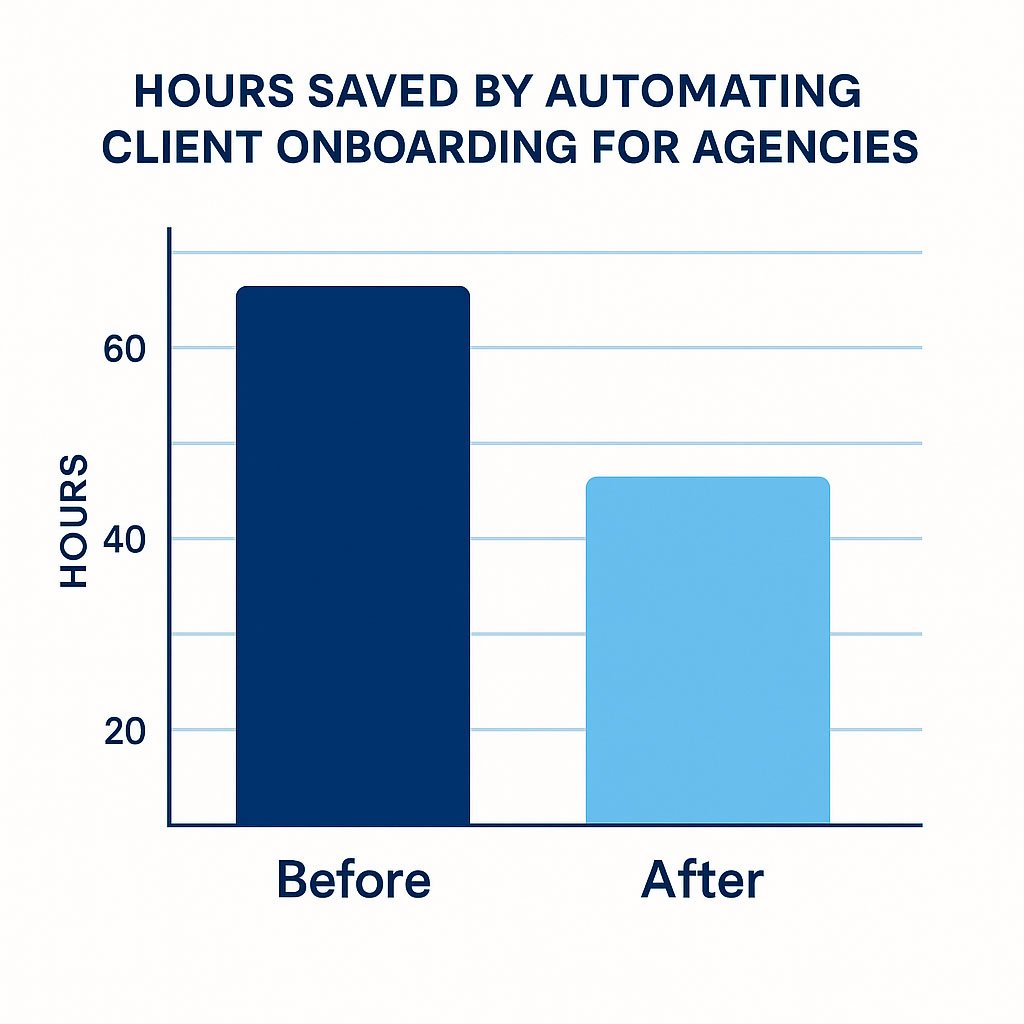
Before automation, Agency X spent 18 hours per client onboarding. The process involved 12 manual steps, 4 different tools, and frequent errors. After implementing business automation with ClickUp and Zapier:
- Onboarding dropped to 2 hours per client
- Errors disappeared (no more missed steps)
- Client satisfaction soared (NPS +30 points)
- The team reclaimed Fridays for strategic work
“We reclaimed our Fridays,” said the founder. “Now, onboarding runs itself. Clients are impressed, and our team is happier.”Quantified outcomes:
- 88% reduction in onboarding time
- 100% completion rate for onboarding tasks
- 0 missed client deliverables in the first 90 days
Frequently Asked Questions About Client Onboarding Automation
How long does it take to set up?
What tools do I need?
Will my team resist automation?
How do I measure ROI?
Can I automate onboarding if my process is unique?
What’s the first step?
What if a client doesn’t fill out the form?
How do I handle sensitive client data?
Conclusion & Next Steps
Manual onboarding is holding your agency back. By embracing business automation, you’ll save 15+ hours a week, reduce errors, and deliver a better client experience. The steps are clear: map your process, identify bottlenecks, choose the right tools, build your workflow, and train your team.
Ready to see how much time you could save? Get Your Free $100K Efficiency Assessment →